New details panel for reports
Moderate update
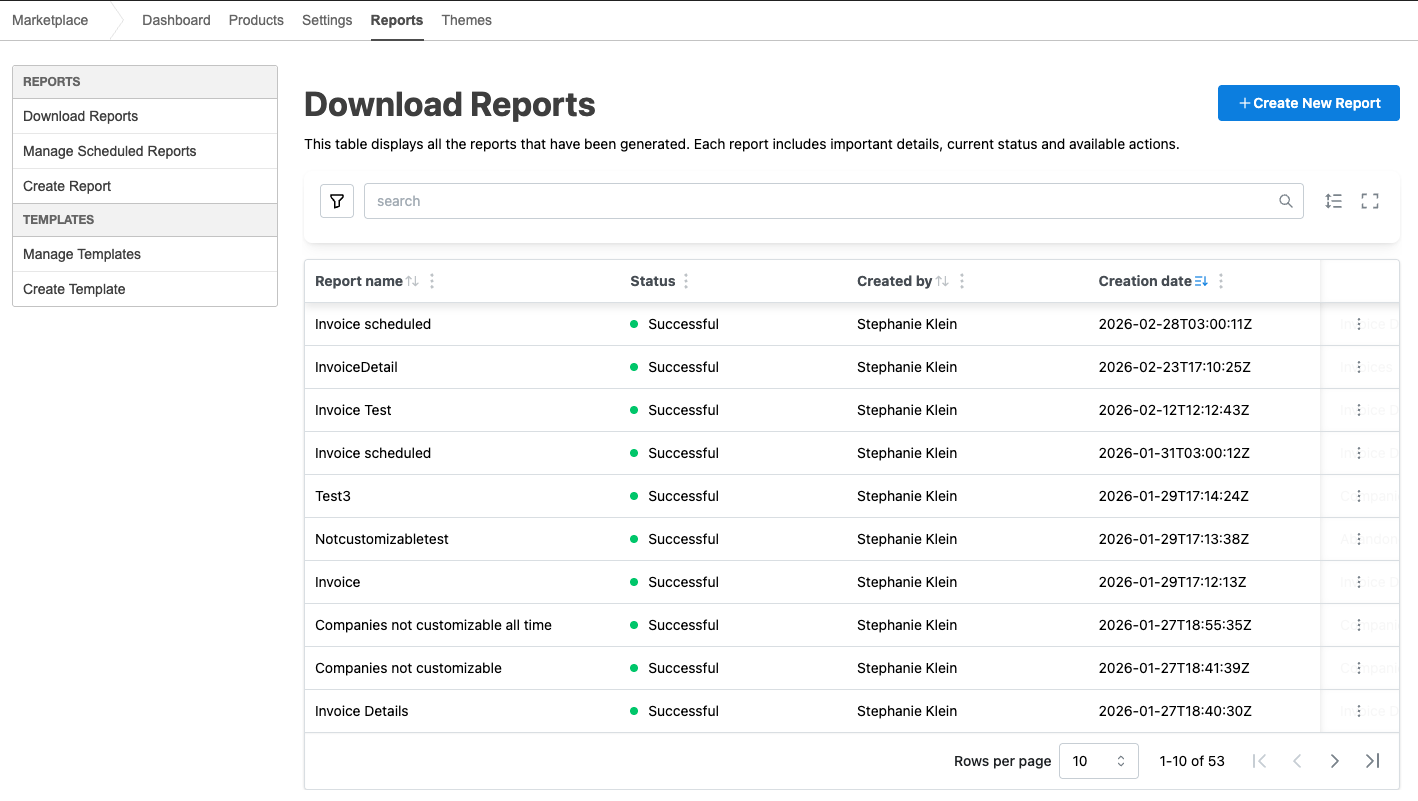
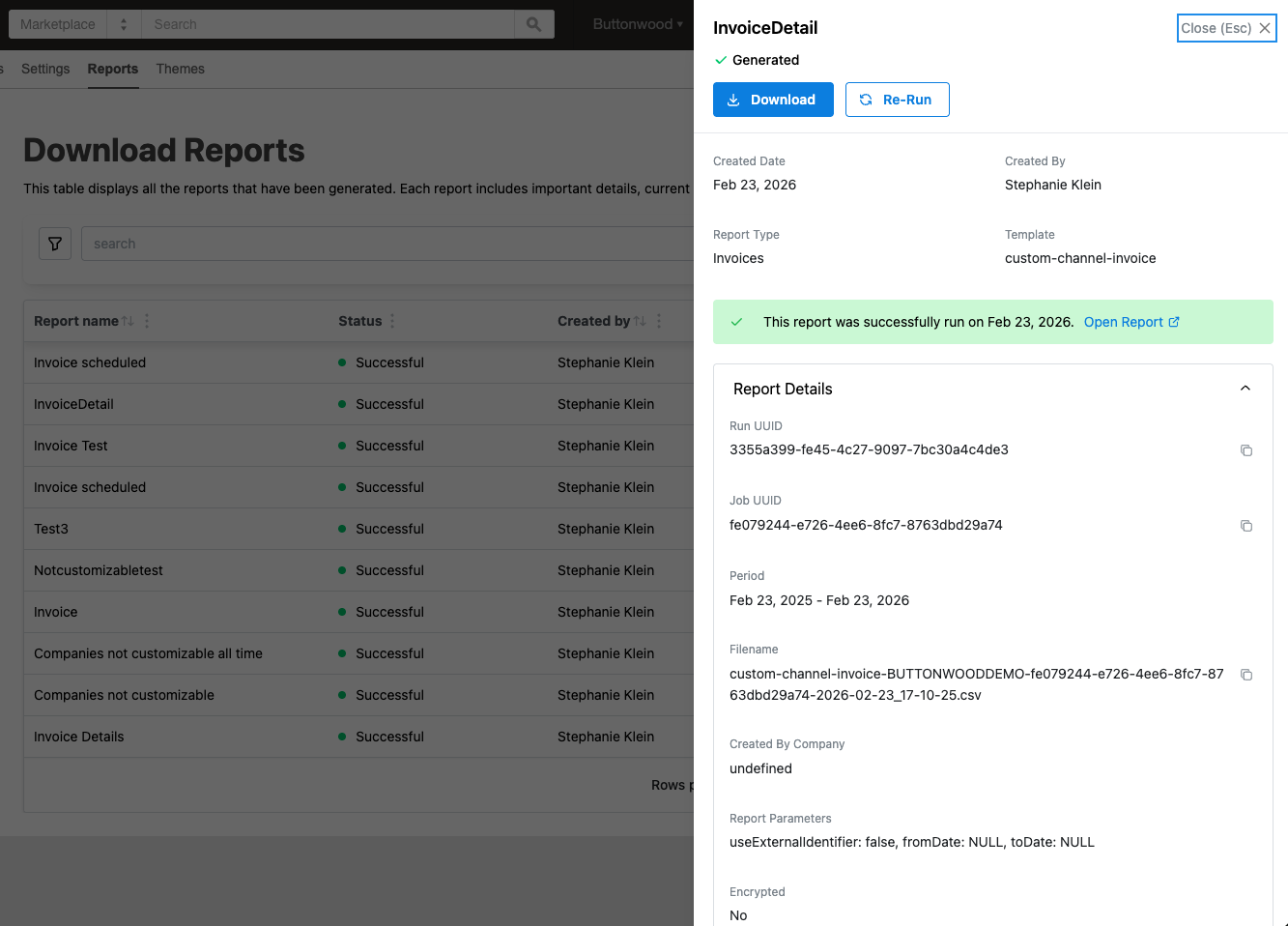
Report Center now shows a Report Details Panel when users hover over a row in the Download Reports table. The panel surfaces metadata about report creation, upload, and encryption that was not previously available in the UI, so users can see status, creation details, file information, and configuration references without leaving the table or opening the report.
What the panel shows
The panel displays detailed metadata for each report row, including:
- Creation and status — Report creation date, current status (e.g. Successful, In Progress, Failed), and who created the report.
- File information — Report file name and other file-level details generated for the report.
- Upload and destination — Whether the report was uploaded to a configured destination (e.g. SFTP or S3), upload status, and which report destination was used.
- Encryption — Whether the report was encrypted (e.g. via PGP), and which encryption configuration was applied when the report was uploaded to a destination.
This makes it easier to troubleshoot failed or stuck reports, confirm that uploads and encryption ran as expected, and support compliance checks by quickly verifying encryption and destination for a given report.
All users with access to Report Center can use this new panel; no additional permissions are required.
Feature enablement
No feature enablement is required.
Setting enablement
No setting enablement is required.
Documentation
Refer to Report Details Panel field reference, Download reports, and Download reports (Company Administrators).
Was this page helpful?
Tell us more…
Help us improve our content. Responses are anonymous.
Thanks
We appreciate your feedback!